
Display public data for users to track all activities on a blockchain and facilitate differentiation between cross-chain and on-chain activities to educate and explain varying transaction completion times.
Make the search prominent and separate transactions based on transaction types. Along with decluttering information with The Law of Proximity and The Law of Uniform Connectedness.
Desk research, UI/UX design
1 Product Designer
1 Developer
The block explorer is a fundamental tool for any blockchain protocol. It helps users search for transactions, block hashes, and wallet addresses. The goal is to display all public data allowing users to transparently track all activities on a given blockchain.
As it was a primary tool for our network, I was asked to come up with a simple yet easy-to-use design. From competitive analysis,there are three primary attributes that needed to be viewable through the block explorer, transactions, block number, and wallet address.
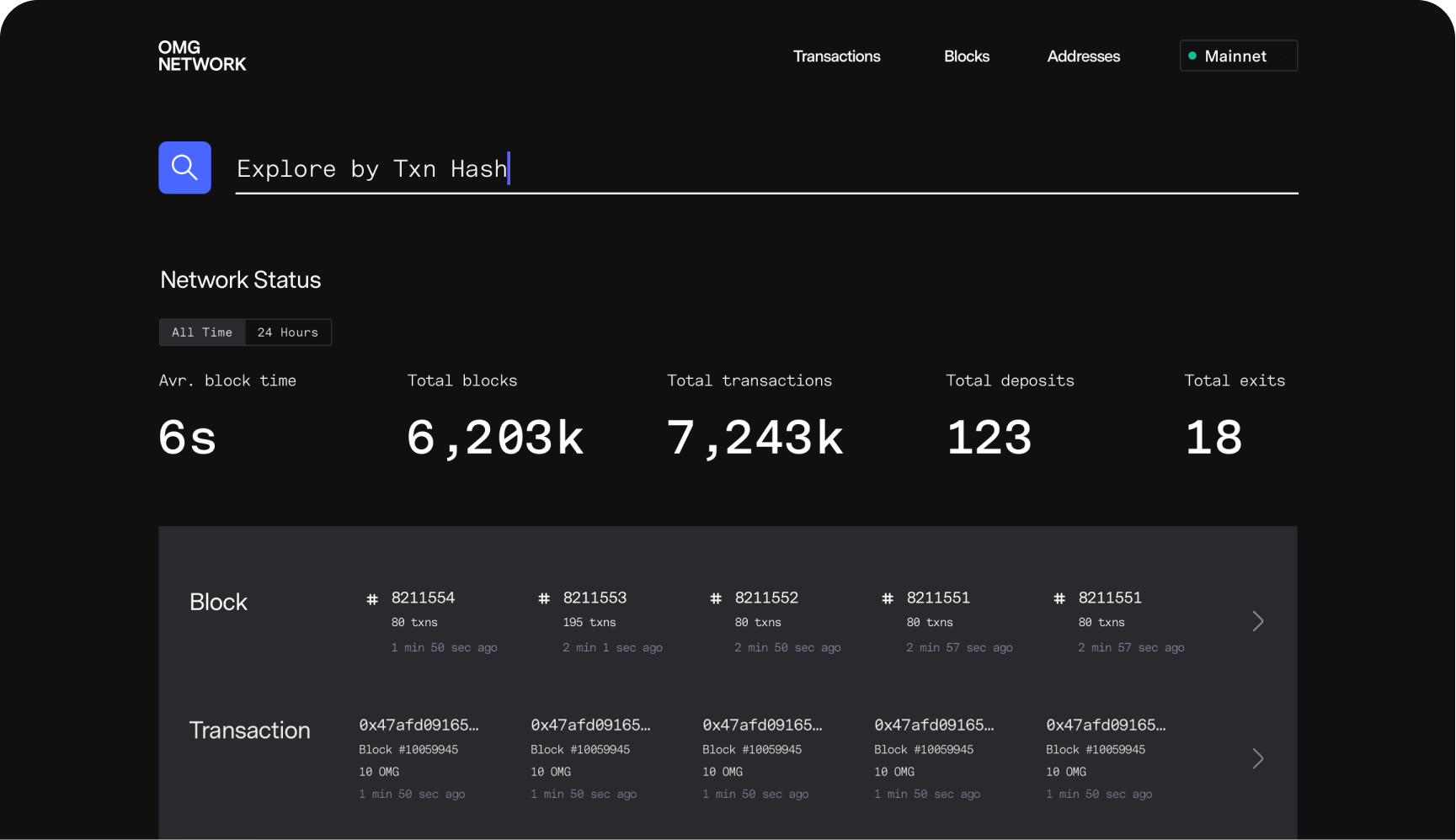
The search function was highlighted as a key feature as it is the most used tool. Native crypto users familiar with copying the hash numbers, could use this feature immediately.
However, for our network, there are slightly different conditions in a transaction. We also wanted to facilitate users to differentiate between cross-chain and on-chain activities to educate the differences between two networks.
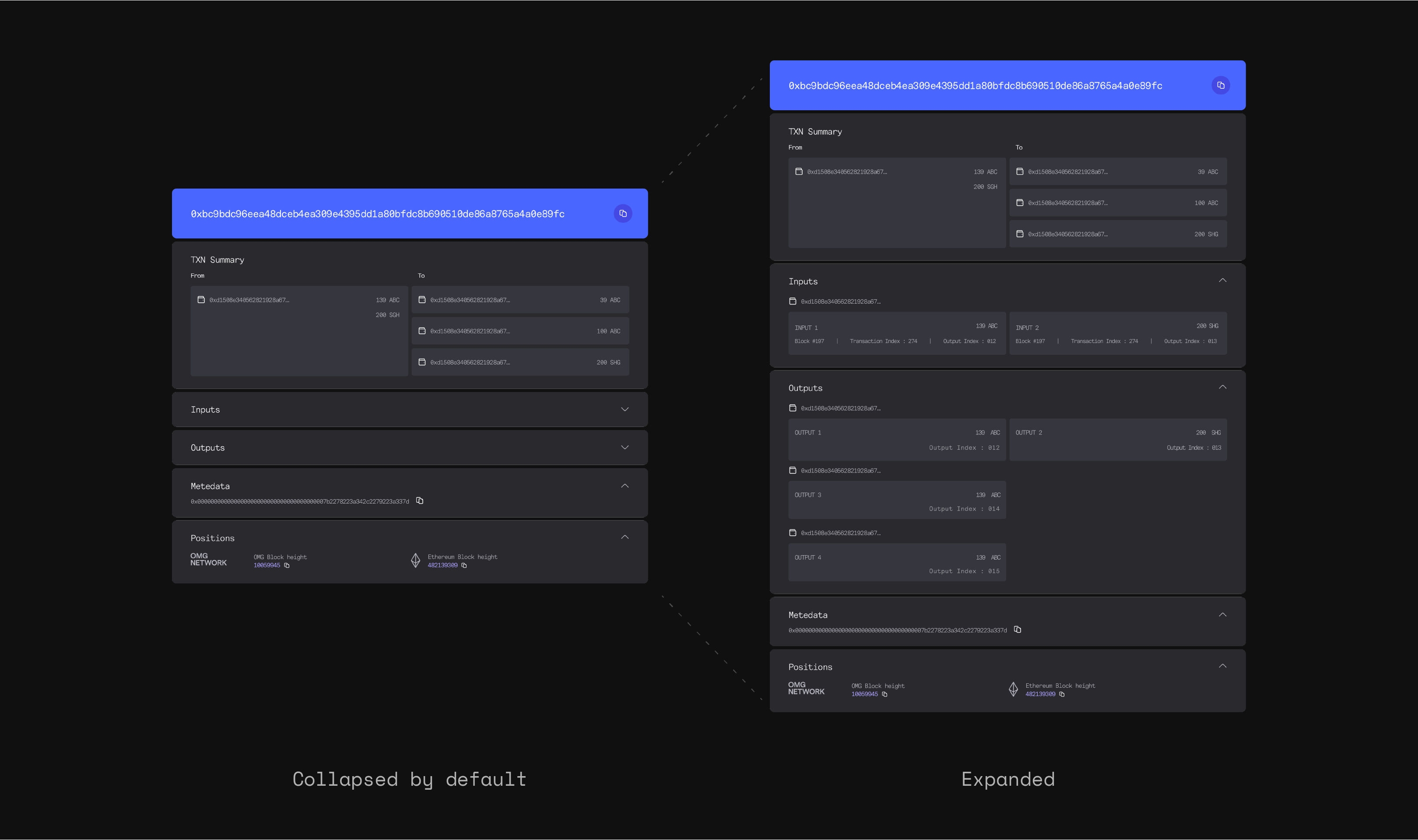
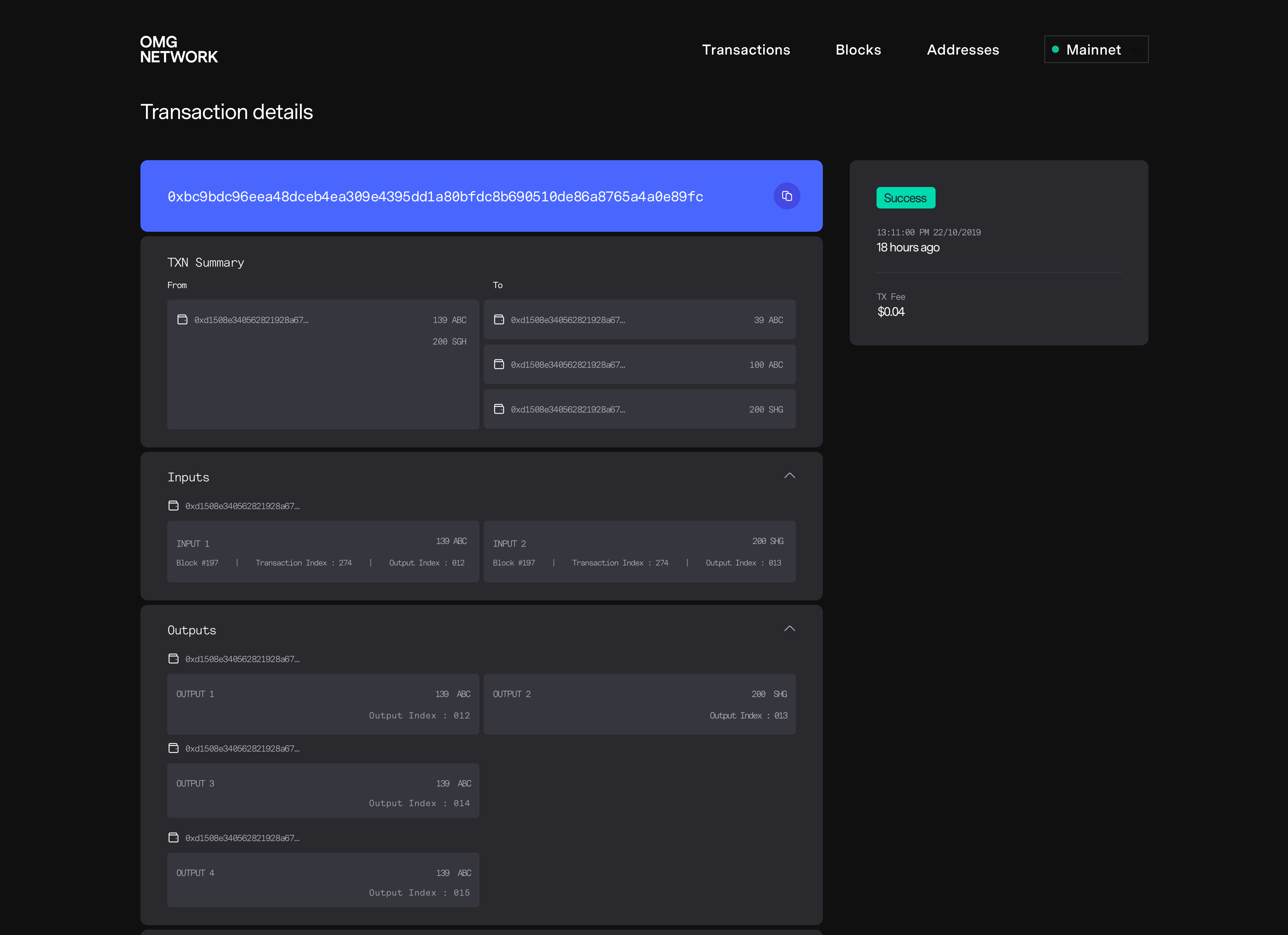
1) Display 4 inputs and 4 outputs per transaction
Users can send crypto to four different recipients' wallet addresses every time they make a transaction. These transactions are totally customizable. A user can also input two totals then split those totals to send to four output recipients' wallet addresses.
In order to show the result without overwhelming users, I decided to use The Law of Proximity and The Law of Uniform Connectedness to manage information proximity. Accordion UI pattern was chosen to reduce cognitive load by abstracting additional details.
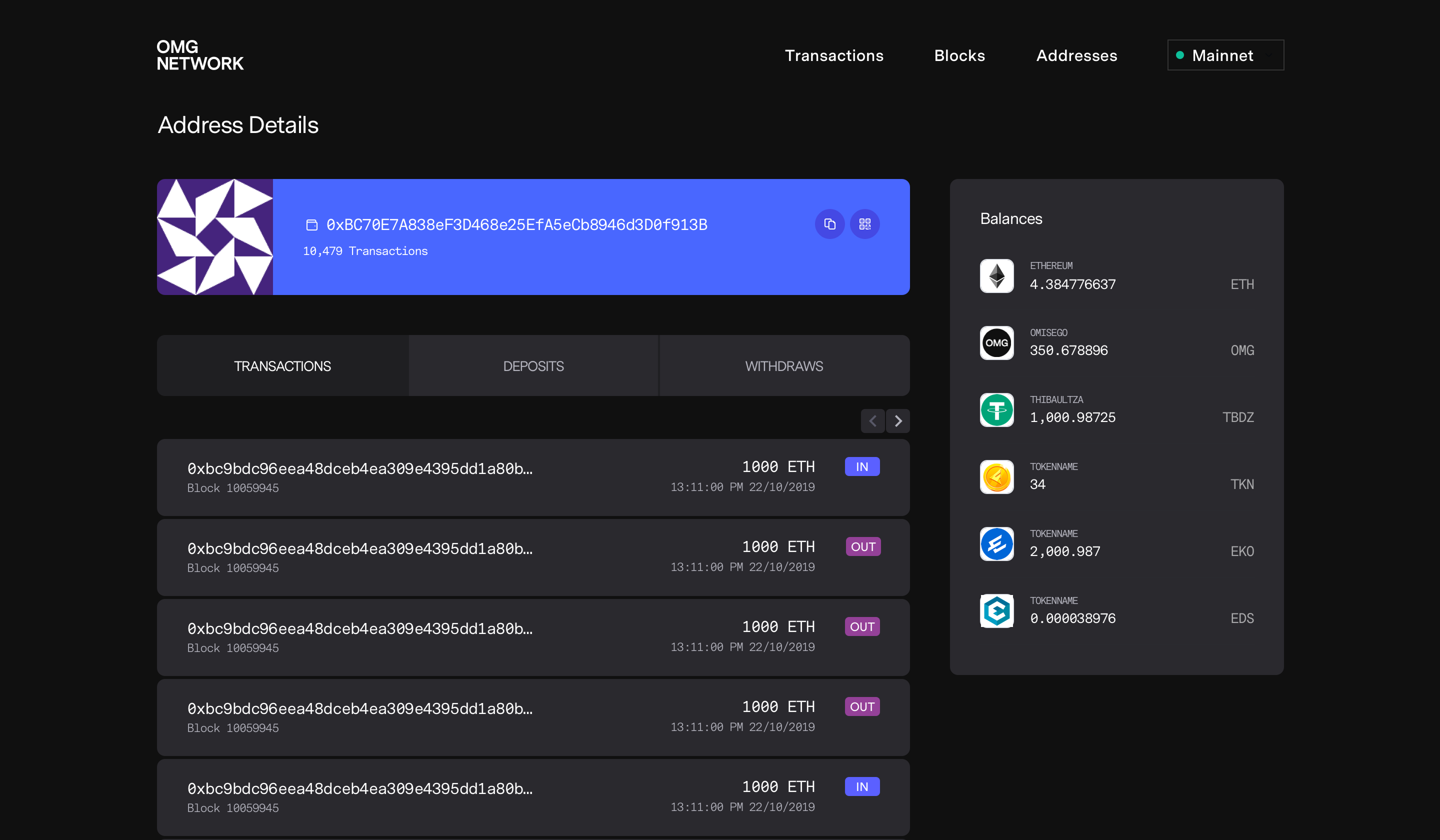
2) Help users differentiate deposits (cross-chain), transfer (on-chain), and withdrawal (cross-chain) transactions with ease.
Based on feedback from targeted users, most people want to audit the amount of capital they put-in and pull-out from the Layer 2 network. This makes it easier to account for all of their funds. For this reason, it is important that users can differentiate between the various types of transactions.
The Tab UI pattern was chosen to help users categorize transaction types. The transaction tab which listed all on-chain transactions on the OMG Network is shown by default as these are the most common transactions.
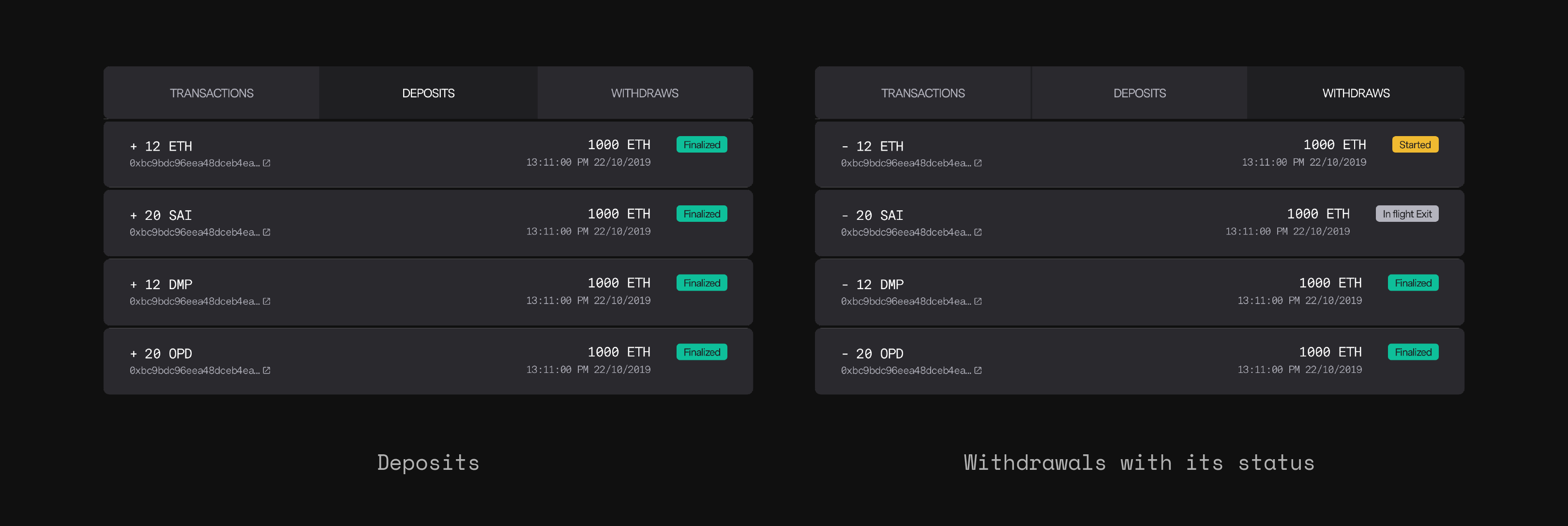
Additionally, the withdrawal process from the OMG Network to Ethereum Network required 3 steps (submit request, wait for approval, then withdraw to the Ethereum Network) which takes approximately 14 days. This creates the necessity for users to track a transaction's progress and allay any fears of the funds being lost.
It is common for any system to run smoothly, have a high performance, suffer from congestion, or experience down time. The block explorer needs to help users understand what is happening on the network at any specific moment.
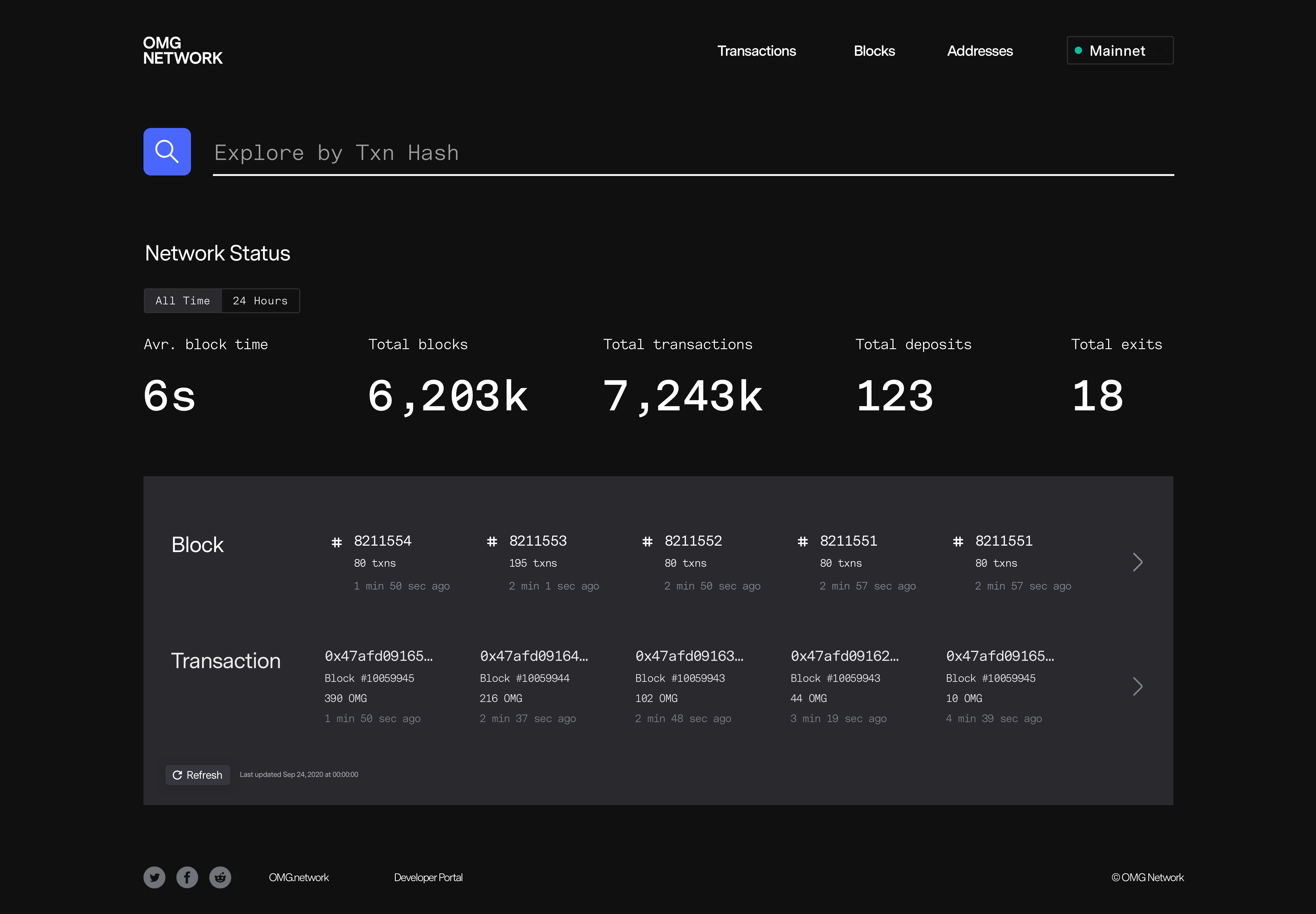
Statistics
Chosen stats were added to help users evaluate the network’s current performance. These included:
* Average block time
Telling users how fast transactions could be validated
* Total blocks
Indicating security of the network
* Total transactions
Indicating congestion and legitimizing the network by showing its popularity
* Total deposits
Also helps legitimize the network
Total exits (withdrawals)
Evaluates the congestion for exiting capital
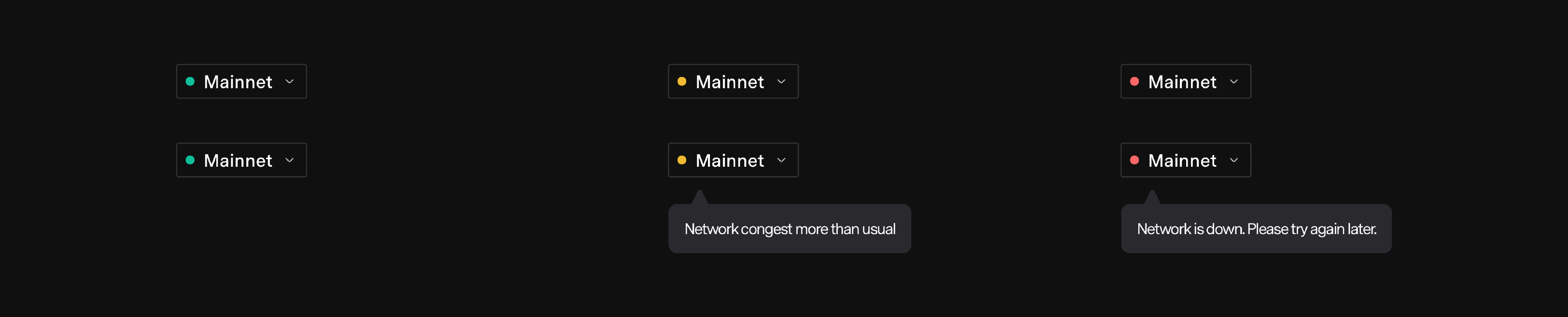
Status symbols
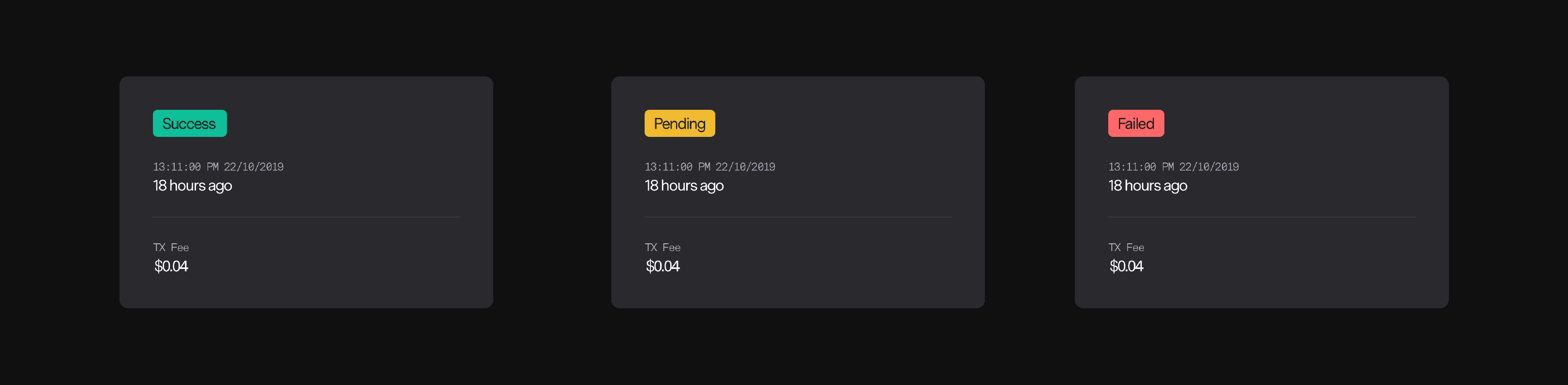
Colors were used to help users visualize network status. Green, Yellow, and Red are universal colors to indicate positive/smooth (green), warning/pending (yellow), and alarm/broken (red). These were applied to network running status and transaction status.
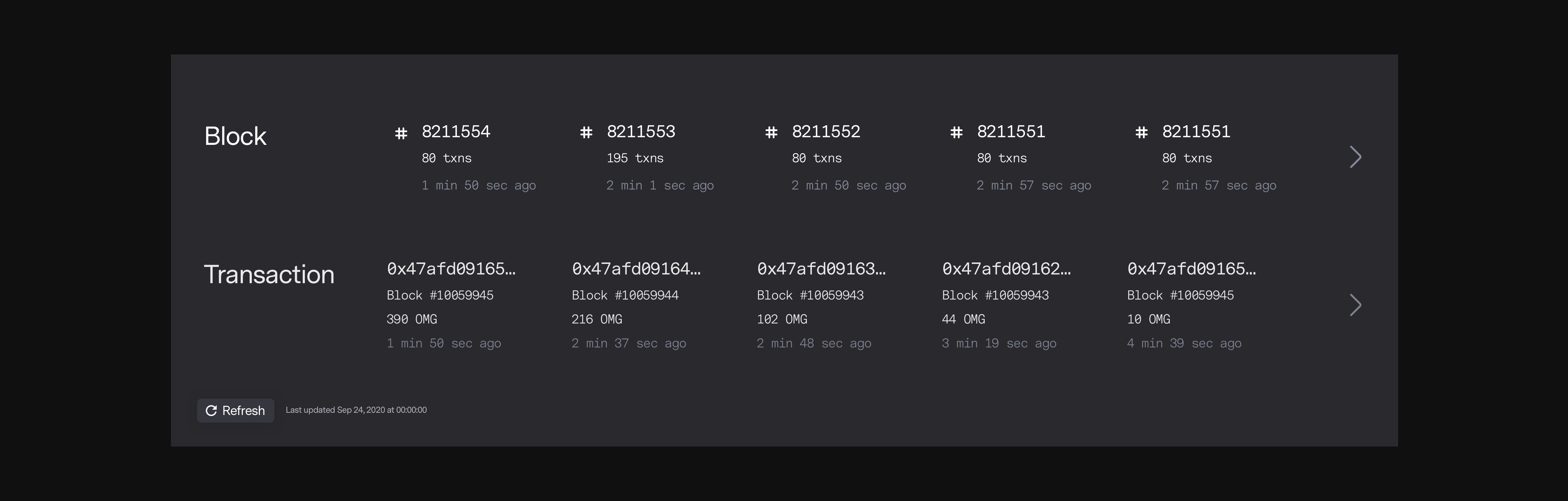
A few recent blocks and transactions were added on the home page to indicate that the network is being used and running smoothly. Animation was applied when new blocks or transactions were completed to amplify this message.

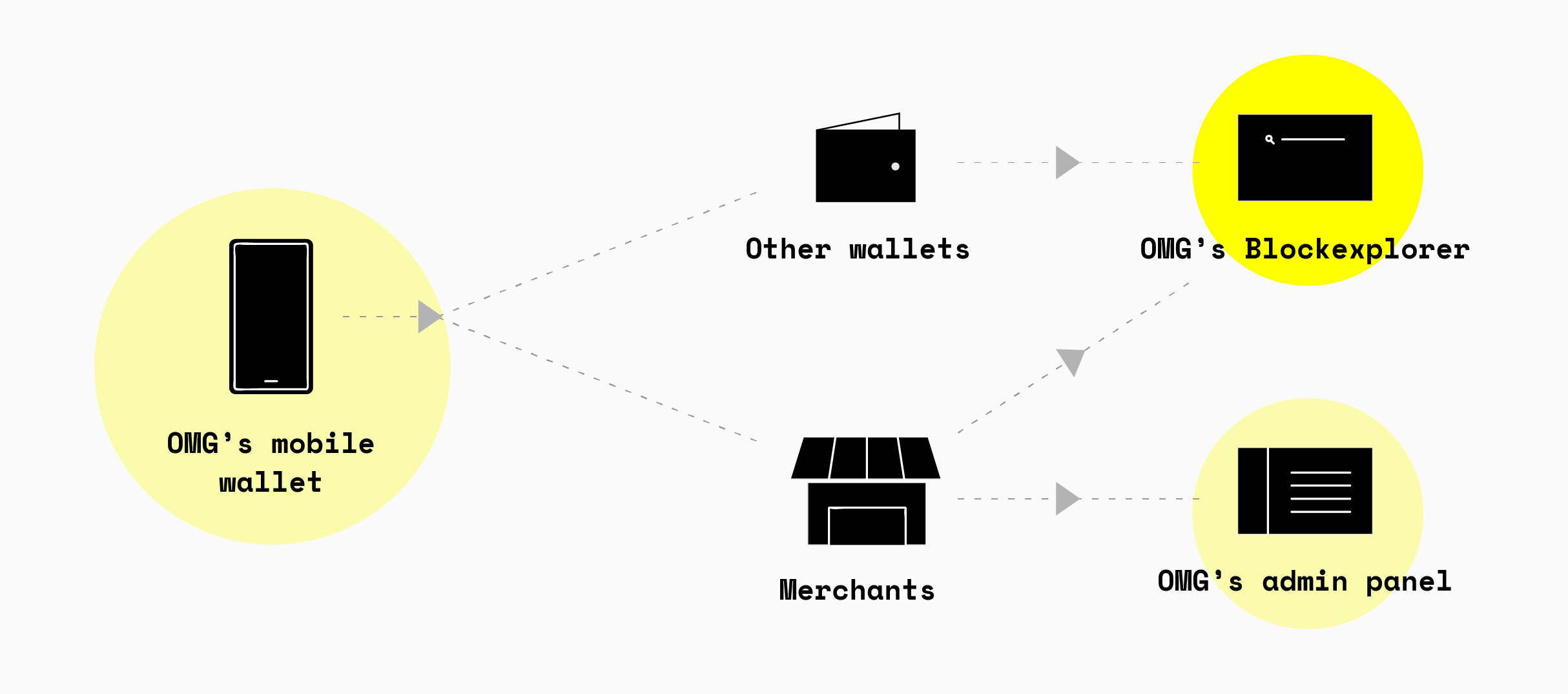
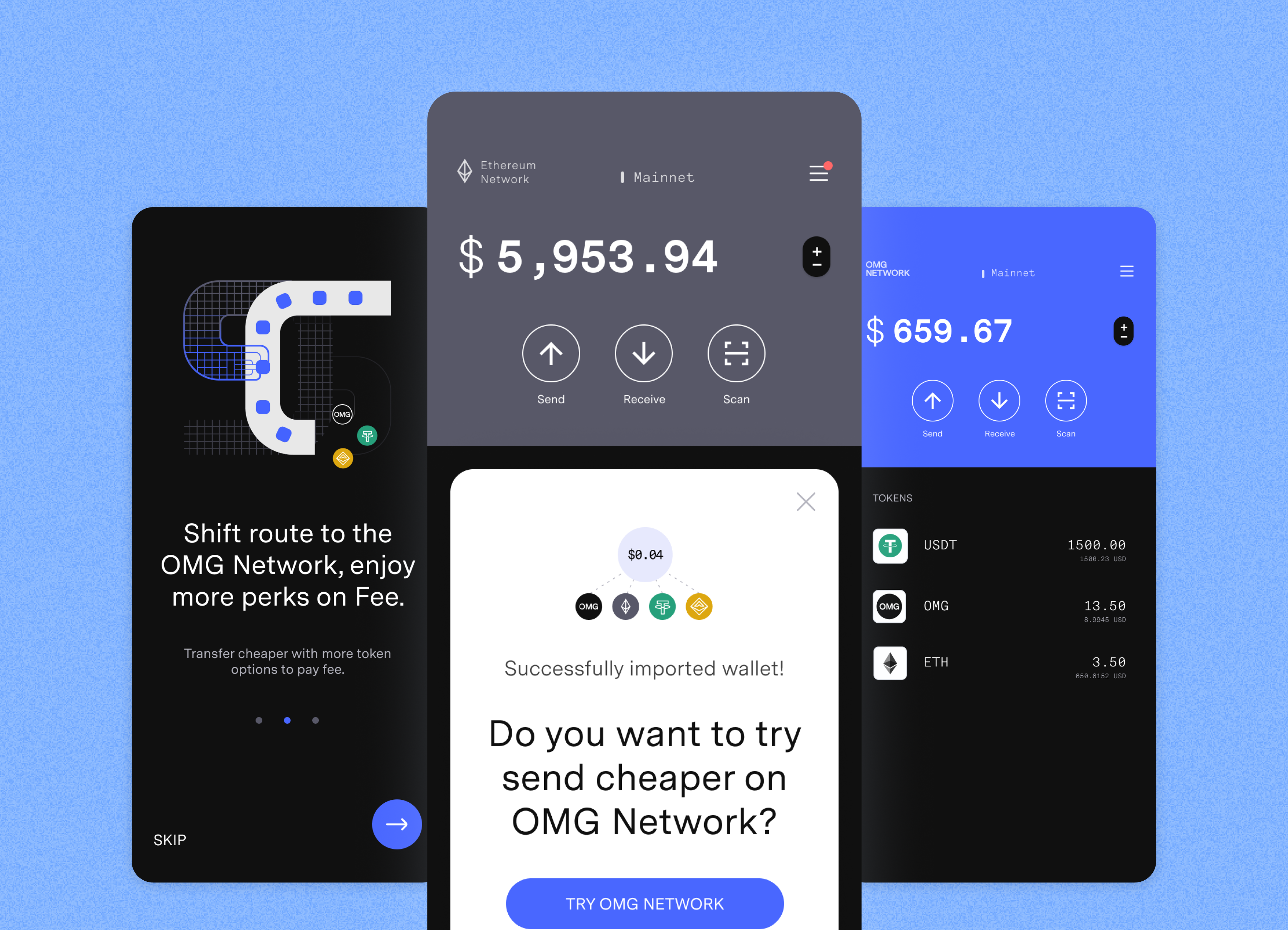
The Block Explorer is a portal for users to track all activities that happen on the network. Any public data and transactions that are created by the Mobile Wallet and Web Wallet can be tracked and audited from here.